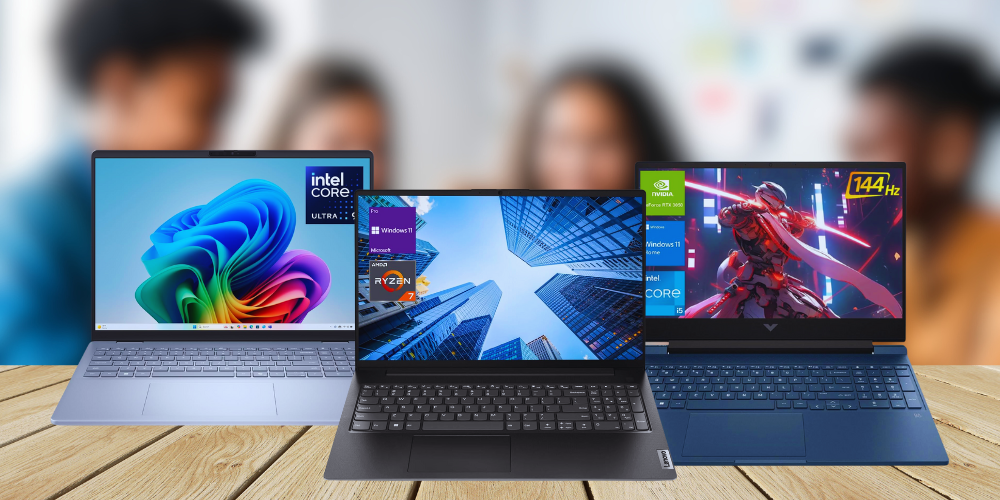
Choosing the right laptop for college can feel overwhelming with so many options flooding the market. Whether you’re a freshman heading off to campus or a graduate student deep in research, your laptop is arguably the most important tool in your academic arsenal. From taking notes in lecture halls to pulling all-nighters on research papers, your laptop needs to keep up with the demands of modern student life.
In this comprehensive guide, we’ve tested and reviewed the best laptops for college students across every budget and use case. We’ve considered factors that matter most to students: performance for demanding coursework, battery life for long days on campus, portability for commuting between classes, and of course, value for money. Whether you need a powerhouse for engineering software, a lightweight companion for liberal arts studies, or a budget-friendly option that won’t break the bank, we’ve got you covered.
Our top picks for 2026 include options ranging from under $650 to premium machines over $1,300, ensuring there’s a perfect student laptop for every budget and major.
Our Top Picks at a Glance
Here’s a quick snapshot of our recommended laptops for students in 2026:
- Best Overall: Apple MacBook Air M4 (2025) — Unmatched battery life, premium build, and powerful M4 chip
- Best Value: HP 15.6″ FHD Touchscreen i7 Laptop — High-end specs at an affordable price point
- Best for Multitasking: Lenovo V-Series V15 — Massive 40GB RAM for heavy workloads
- Best Large Display: Dell 16 Laptop DC16256 — Expansive 16-inch FHD+ screen with modern Ryzen power
- Best Touchscreen Business Laptop: HP 15.6″ FHD Touchscreen Business Laptop (i7-1255U) — Professional features for business students
- Best Budget Gaming Laptop: HP Victus 15.6″ — RTX 3050 graphics at a student-friendly price
- Best DDR5 Performance: Lenovo ThinkBook (Ryzen 5 7533HS) — Cutting-edge DDR5 memory
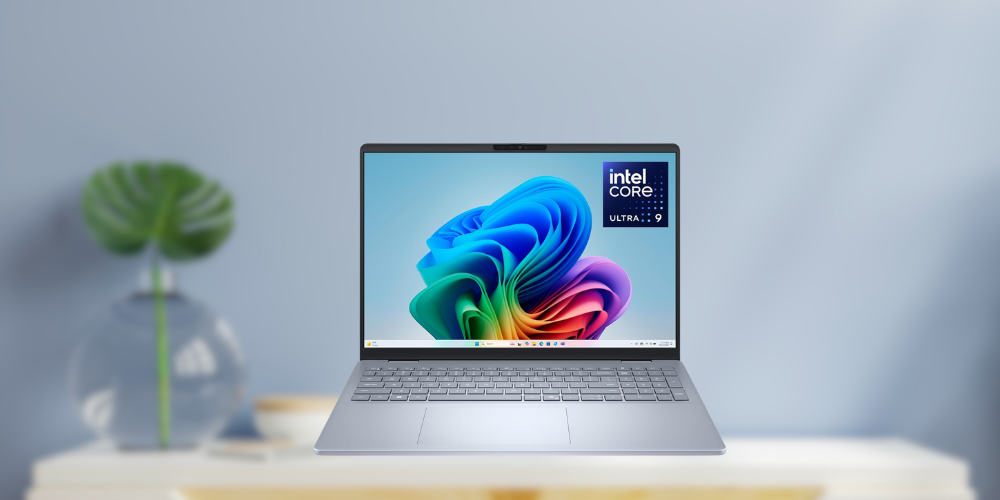
- Best Premium Powerhouse: Dell 16 Plus DB16250 — Intel Core Ultra 9 with stunning 2.5K display
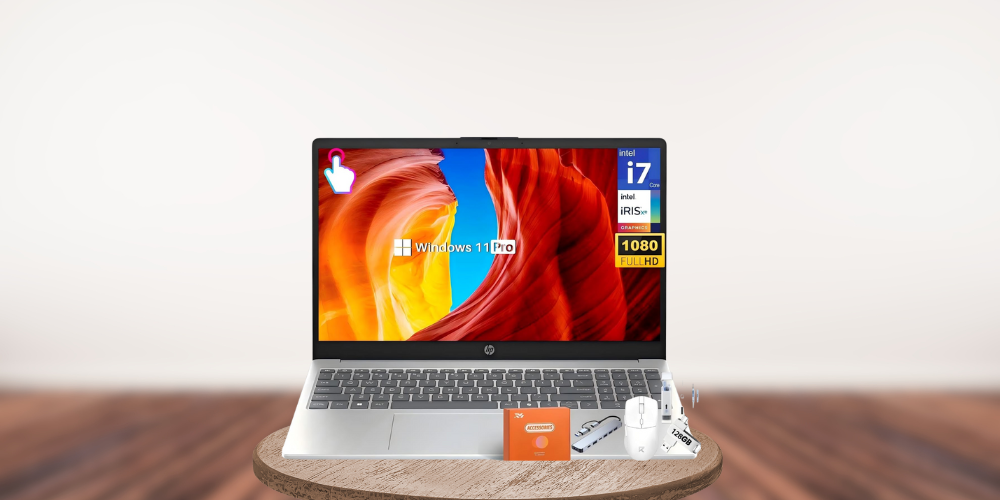
- Best High-RAM Business Option: HP 15.6″ FHD Touchscreen Business Laptop (i7-1355U) — Newest Intel processor with ample memory
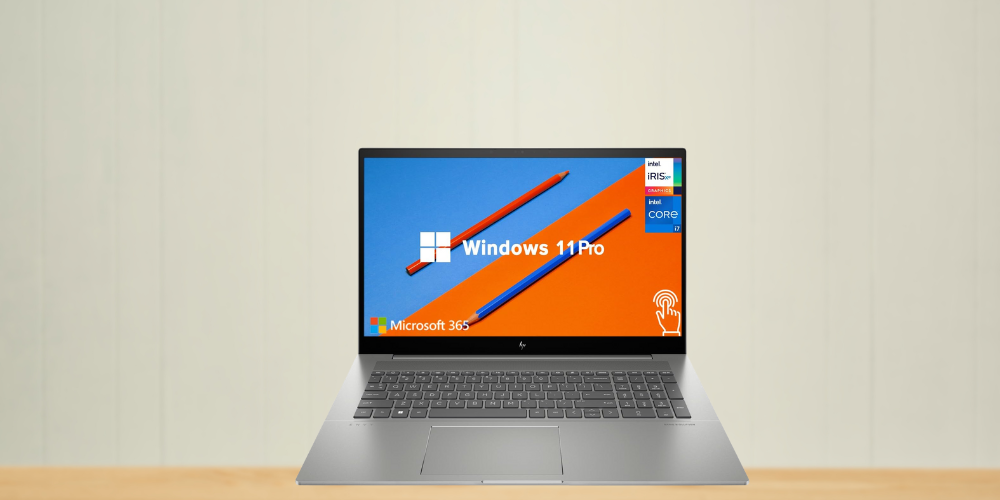
- Best Large Screen Budget Option: HP Pavilion 17.3″ — Huge 17.3-inch touchscreen with 64GB RAM
In-Depth Reviews of the Best Student Laptops
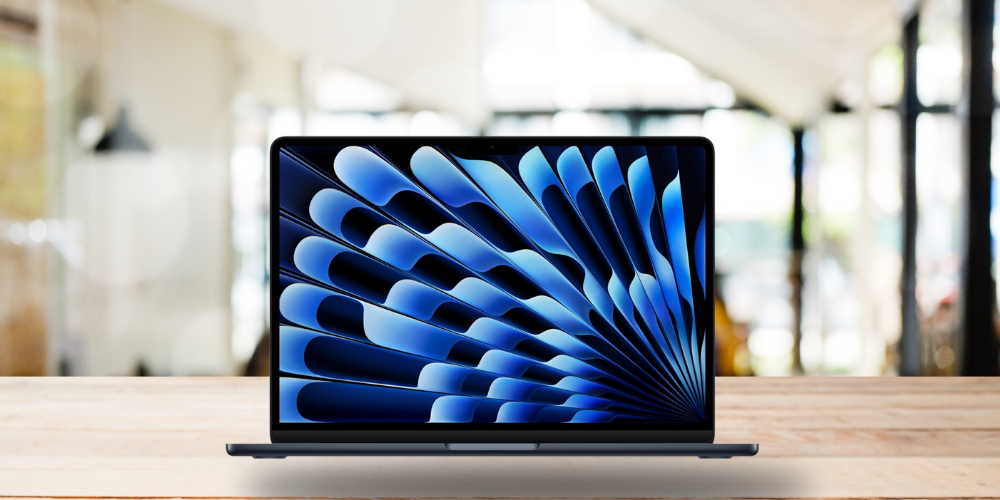
1. Apple MacBook Air M4 (2025) – Best Overall for Students
Price: $749.00 (was $999) | Rating: 4.8/5 (4,630 reviews)
Pros:
• Exceptional 18-hour battery life – lasts through multiple days of classes
• Incredibly lightweight and portable design
• Apple M4 chip delivers blazing-fast performance
• Stunning 13.6-inch Liquid Retina display
• Built for Apple Intelligence with advanced AI capabilities
• Premium build quality with Touch ID security
• #1 Best Seller on Amazon
Cons:
• Limited to 256GB base storage (may require cloud storage or upgrades)
• macOS ecosystem may not be compatible with some specialized Windows-only software
• Only 16GB unified memory (non-upgradeable)
The 2025 MacBook Air M4 represents the gold standard for student laptops. Apple’s latest M4 chip delivers desktop-class performance while maintaining industry-leading battery life. At $749 (with a 25% discount), it offers exceptional value for a premium laptop that will easily last through four years of college and beyond.
Who it’s for: Students who prioritize battery life, build quality, and seamless integration with other Apple devices. Ideal for liberal arts, business, and creative majors who don’t require Windows-specific software.
Specs & Configurations:
- CPU: Apple M4 chip (10-core)
- GPU: Apple M4 integrated graphics (10-core GPU)
- RAM: 16GB Unified Memory
- Storage: 256GB SSD
- Display: 13.6-inch Liquid Retina Display
- Battery Life: Up to 18 hours
- Weight: 2.7 lbs
- Other Features: 12MP Center Stage Camera, Touch ID, MagSafe charging
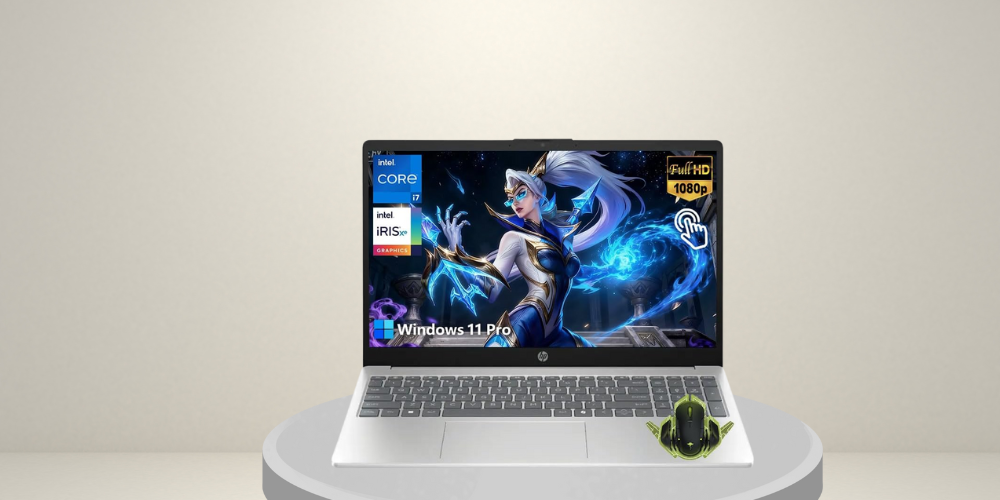
2. HP 15.6″ FHD Touchscreen i7 Laptop – Best Value Pick
Price: $649.99.00 | Rating: 4.8/5 (6 reviews)
Pros:
• Exceptional value with 32GB RAM and 1TB storage at under $650
• Intel Core i7-1355U processor (up to 5GHz) handles demanding tasks
• FHD touchscreen enhances productivity and note-taking
• Privacy webcam for secure video calls
• Fast charging capability for busy students
• Long battery life for all-day use
• Windows 11 Pro included
Cons:
• Limited review count (newer product)
• Integrated graphics may struggle with intensive gaming
• Heavier than ultrabook alternatives
Why we picked it: This HP laptop offers an unbeatable combination of high-end specs at a budget-friendly price. With 32GB of RAM and a 10-core i7 processor, it punches well above its weight class, making it perfect for students who need serious computing power without the serious price tag.
Who it’s for: Budget-conscious students who refuse to compromise on performance. Perfect for computer science majors, data analysis, and anyone running multiple applications simultaneously.
Specs & Configurations:
- CPU: Intel Core i7-1355U (10-core, up to 5.0GHz)
- GPU: Intel Iris Xe Graphics
- RAM: 32GB DDR4
- Storage: 1TB SSD
- Display: 15.6-inch FHD Touchscreen
- Battery Life: Extended (Fast Charge supported)
- Weight:
- Other Features: Privacy Webcam, WiFi 6, Copilot AI, Windows 11 Pro
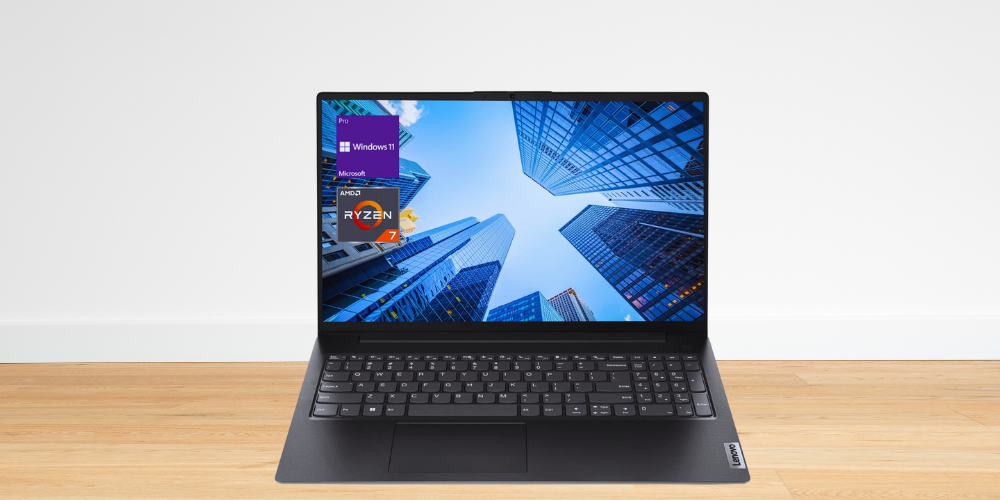
3. Lenovo V-Series V15 Business Laptop – Best for Heavy Multitasking
Price: $709.00 | Rating: 4.3/5 (580 reviews)
Pros:
• Massive 40GB RAM handles the most demanding multitasking
• Spacious 1TB SSD storage for all your files and projects
• AMD Ryzen 7 7730U processor with 8 cores
• Full connectivity with HDMI, RJ45 Ethernet, and webcam
• Numeric keypad ideal for accounting and data entry students
• Windows 11 Pro for professional and educational use
• 500+ bought in past month—proven popularity
Cons:
• 8-hour battery life is average compared to competitors
• DDR4 RAM (not the newer DDR5 standard)
• Bulkier design may be less portable
Why we picked it: If you’re a power user who runs multiple applications, browser tabs, and virtual machines simultaneously, the V15’s 40GB RAM configuration is a game-changer. Most laptops at this price cap out at 16GB, making this Lenovo an exceptional choice for demanding workflows.
Who it’s for: Engineering students, computer science majors, finance and accounting students who work with large spreadsheets, and anyone who needs to run resource-intensive applications without slowdowns.
Specs & Configurations:
- CPU: AMD Ryzen 7 7730U (8-core)
- GPU: AMD Radeon Integrated Graphics
- RAM: 40GB DDR4 (3200 MHz)
- Storage: 1TB SSD
- Display: 15.6-inch FHD (1920×1080)
- Battery Life: Up to 8 hours
- Weight:
- Other Features: Numeric Keypad, HDMI, RJ45 Ethernet, Webcam, Wi-Fi
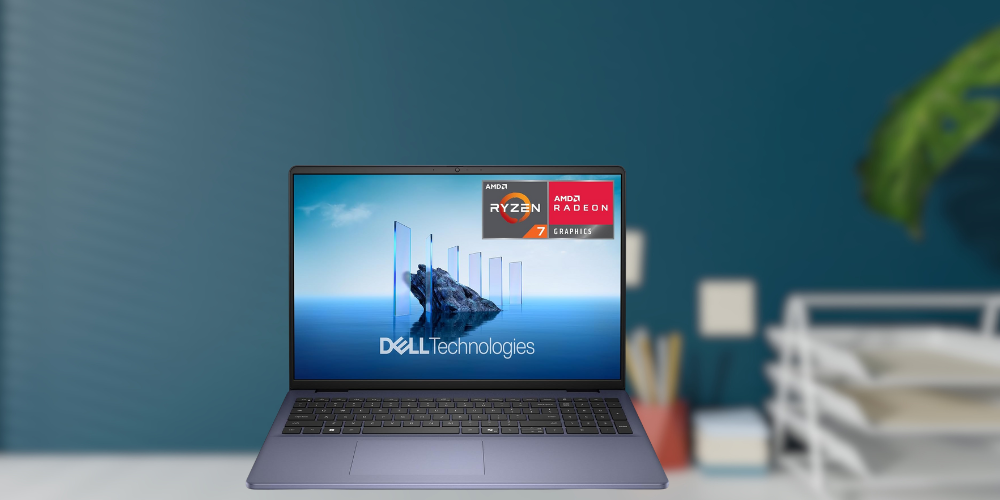
4. Dell 16 Laptop DC16256 – Best Large Display
Price: $799.99.00 | Rating: 5.0/5 (10 reviews)
Pros:
• Perfect 5.0 rating from early reviewers
• Expansive 16-inch FHD+ display (16:10 aspect ratio) for better productivity
• AMD Ryzen 7 250 processor delivers excellent performance
• Anti-glare 300-nit display reduces eye strain during long study sessions
• Backlit keyboard with fingerprint reader
• Amazon’s Choice designation
• 1K+ bought in past month—highly popular
Cons:
• Limited review sample size
• 16GB RAM may need upgrading for heavy use
• Larger footprint reduces portability
Why we picked it: The 16:10 aspect ratio display is a productivity game-changer, giving you more vertical space for documents, code, and research papers. Dell’s build quality is legendary, and the Midnight Blue finish looks sharp on campus.
Who it’s for: Students who spend long hours reading, writing, or coding and want a larger screen without jumping to a bulky 17-inch laptop. Great for pre-med students reviewing materials, law students reading case files, or anyone who values screen real estate.
Specs & Configurations:
- CPU: AMD Ryzen 7 250
- GPU: AMD Radeon Integrated Graphics
- RAM: 16GB
- Storage: 1TB SSD
- Display: 16-inch FHD+ (16:10 aspect ratio), Anti-Glare, 300 nits
- Battery Life:
- Weight:
- Other Features: Backlit Keyboard, Fingerprint Reader, Memory Card Slot, Numeric Keypad
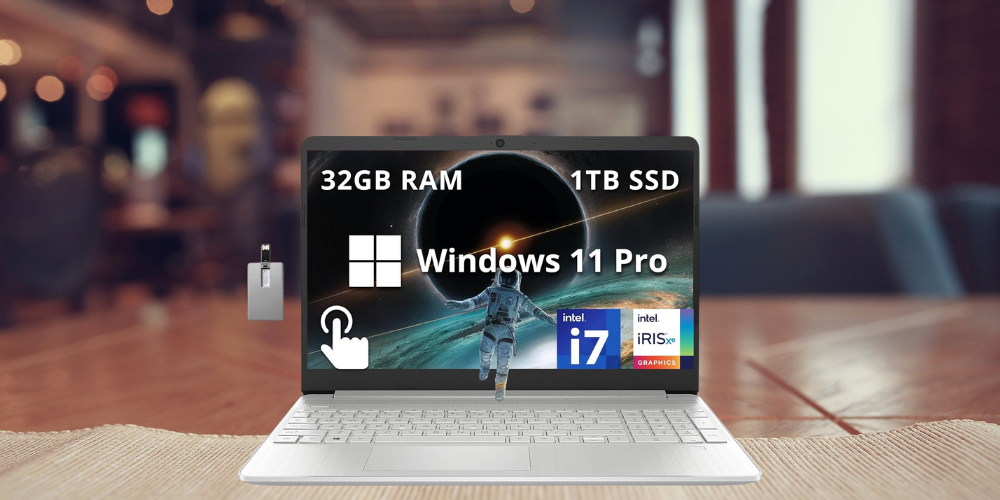
5. HP 15.6″ FHD Touchscreen Business Laptop (i7-1255U) – Best Touchscreen Business Option
Price: $719.50.00 | Rating: 4.2/5 (166 reviews)
Pros:
• Proven reliability with 166 verified reviews
• Intel Core i7-1255U (10-core) delivers strong performance
• 32GB RAM handles demanding applications
• 1TB PCIe SSD for fast boot times and file access
• Touchscreen with numeric keypad—versatile input options
• Includes 32GB Hotface USB Card bonus
• Windows 11 Pro for professional use
Cons:
• Previous-generation i7-1255U processor (not the latest 1355U)
• DDR4 memory instead of newer DDR5
• Integrated graphics only
Why we picked it: This HP strikes an excellent balance between professional features and affordability. With 166 reviews backing up its reliability, you’re getting a proven workhorse that business and accounting students will appreciate.
Who it’s for: Business majors, MBA students, and anyone who needs a reliable laptop for presentations, spreadsheets, and professional applications. The numeric keypad makes it especially valuable for finance and accounting coursework.
Specs & Configurations:
- CPU: Intel Core i7-1255U (10-core)
- GPU: Intel Iris Xe Graphics
- RAM: 32GB DDR4 (3200 MHz)
- Storage: 1TB PCIe SSD
- Display: 15.6-inch FHD Touchscreen
- Battery Life:
- Weight:
- Other Features: Numeric Keypad, Webcam, 32GB USB Card included
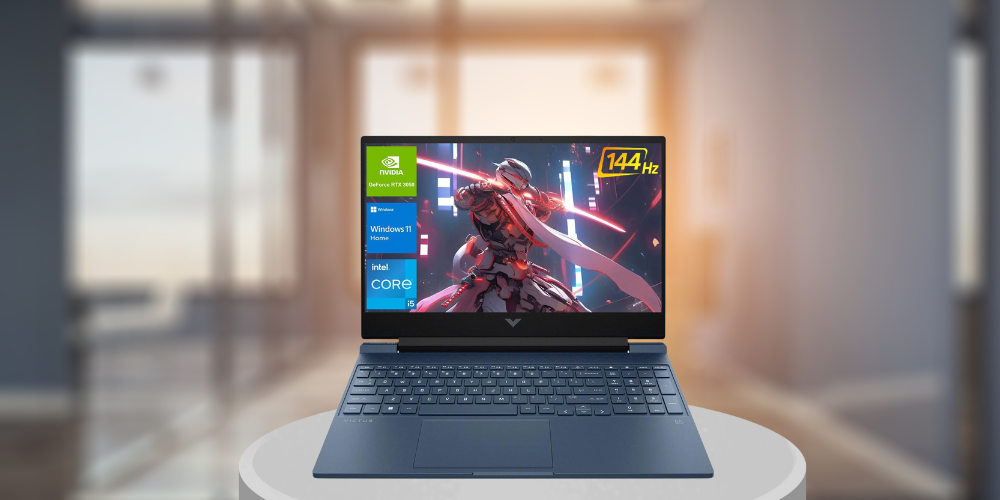
6. HP Victus 15.6″ Gaming Laptop – Best Budget Gaming Laptop
Price: $788.00 | Rating: 4.3/5 (468 reviews)
Pros:
• Dedicated NVIDIA GeForce RTX 3050 graphics card
• 144Hz display for smooth gaming and video playback
• Intel Core i5-12450H gaming-grade processor
• 32GB RAM and 1TB SSD—ready for modern games
• Backlit keyboard for gaming in low light
• Wi-Fi 6 for fast online gaming
• Amazon’s Choice for budget gaming laptops
Cons:
• 7-hour battery life is shorter due to dedicated GPU
• Heavier than non-gaming alternatives
• Gaming aesthetic may not suit all students
Why we picked it: For students who game, the HP Victus is a revelation. You get a legitimate RTX 3050 GPU, 144Hz display, and gaming-grade components at a price that won’t require a second student loan. It handles both Fortnite and final exams with ease.
Who it’s for: Gaming enthusiasts who need a laptop that doubles as a study machine. Also excellent for game design, 3D modeling, and video editing students who need dedicated graphics horsepower.
Specs & Configurations:
- CPU: Intel Core i5-12450H (8-core)
- GPU: NVIDIA GeForce RTX 3050 (4GB GDDR6)
- RAM: 32GB DDR4 (3200 MHz)
- Storage: 1TB SSD
- Display: 15.6-inch FHD (1920×1080), 144Hz refresh rate
- Battery Life: Up to 7 hours
- Weight:
- Other Features: Backlit Keyboard, SD Card Reader, Webcam, HDMI, Wi-Fi 6
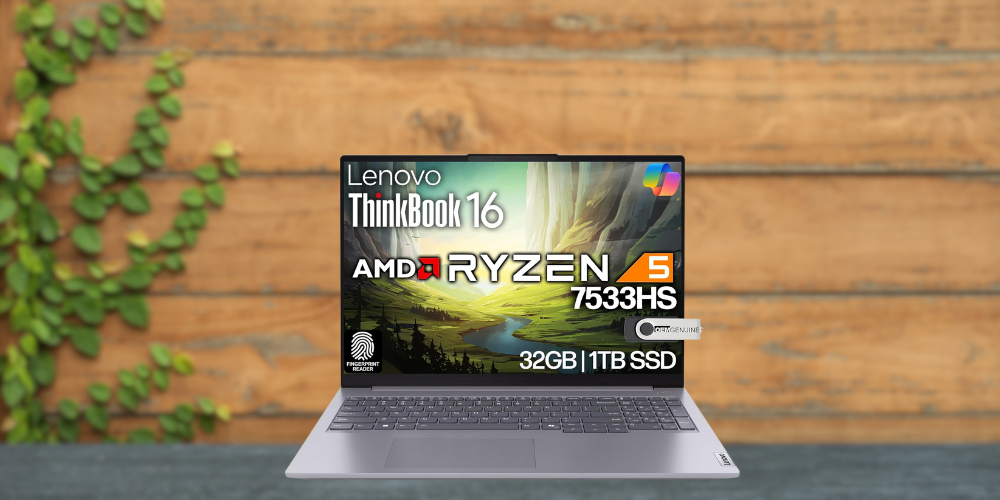
7. Lenovo ThinkBook (Ryzen 5 7533HS) – Best DDR5 Performance
Price: $779.95.00 | Rating: 4.3/5 (53 reviews)
Pros:
• Cutting-edge DDR5 memory (4800 MHz) for faster performance
• AMD Ryzen 5 7533HS processor with 10 cores
• Modern 1TB NVMe storage
• Full connectivity: WiFi 6, Bluetooth, RJ-45 Ethernet, HDMI
• Fingerprint reader for security
• Overall Pick on Amazon
• Windows 11 Pro included
Cons:
• Newer DDR5 technology may have premium pricing
• AMD Radeon integrated graphics (no dedicated GPU)
• 53 reviews—smaller sample size
Why we picked it: This Lenovo is one of the first student-priced laptops to feature DDR5 memory, which offers significantly faster speeds than DDR4. For students who want future-proof technology that will remain competitive throughout their college years, this is the pick.
Who it’s for: Tech-savvy students who want the latest memory technology and appreciate having cutting-edge specs. Great for computer science majors and anyone who values staying ahead of the curve.
Specs & Configurations:
- CPU: AMD Ryzen 5 7533HS (10-core)
- GPU: AMD Radeon Integrated Graphics
- RAM: 32GB DDR5 (4800 MHz)
- Storage: 1TB NVMe SSD
- Display: 15.6-inch FHD
- Battery Life:
- Weight:
- Other Features: Fingerprint Reader, HD Webcam, WiFi 6, Bluetooth, RJ-45, HDMI
Price: $1,399.00 (was $1,549.99) | Rating: 4.2/5 (117 reviews)
Pros:
• Intel Core Ultra 9 288V—top-tier processor performance
• Stunning 16-inch 2.5K (2560×1600) display
• LPDDR5X memory running at blazing 8533 MHz
• Massive 2TB SSD storage
• Intel Arc Graphics for improved visual performance
• Copilot key for AI integration
• Amazon’s Choice with sustainability features
• 400+ bought in past month
Cons:
• Premium price point ($1,399)
• May be overkill for basic coursework
• Larger size reduces portability
Why we picked it: When only the best will do, the Dell 16 Plus delivers. The Core Ultra 9 processor is Intel’s latest flagship, and paired with the gorgeous 2.5K display and lightning-fast LPDDR5X memory, this laptop handles everything from machine learning projects to 4K video editing without breaking a sweat.
Who it’s for: Engineering students, computer science majors working on AI/ML projects, architecture students using CAD software, and anyone whose coursework demands premium computing power. Also ideal for students who want a laptop that will serve them well into their professional careers.
Specs & Configurations:
- CPU: Intel Core Ultra 9 288V (8-core)
- GPU: Intel Arc Graphics
- RAM: 32GB LPDDR5X (8533 MHz)
- Storage: 2TB SSD
- Display: 16-inch 2.5K (2560×1600)
- Battery Life:
- Weight:
- Other Features: Copilot Key, Backlit Keyboard, Sustainability certified
9. HP 15.6″ FHD Touchscreen Business Laptop (i7-1355U) – Best Latest-Gen Intel Option
Price: $861.51.00 | Rating: 4.8/5 (11 reviews)
Pros:
• Latest Intel Core i7-1355U processor (up to 5.0 GHz)
• Massive 32GB RAM for demanding applications
• 1TB SSD provides ample storage
• FHD IPS touchscreen for vivid colors and touch input
• Microsoft Copilot integration for AI assistance
• Fast charge capability
• Windows 11 Pro included
Cons:
• Higher price point than similar specs
• Currently showing limited availability
• Integrated graphics only (Intel Iris Xe)
Why we picked it: This HP model features the newest 13th-gen Intel i7-1355U processor, which offers measurable improvements in both single-core and multi-core performance. Combined with Microsoft Copilot integration, it’s designed for students who want the latest technology.
Who it’s for: Students who want the newest Intel processor generation and value having cutting-edge specifications. Excellent for business students who will use Microsoft 365 extensively with Copilot AI features.
Specs & Configurations:
- CPU: Intel Core i7-1355U (10-core, up to 5.0 GHz)
- GPU: Intel Iris Xe Graphics
- RAM: 32GB
- Storage: 1TB SSD
- Display: 15.6-inch FHD IPS Touchscreen
- Battery Life: Extended (Liberating battery life per HP)
- Weight:
- Other Features: Microsoft Copilot, Fast Charge, Numeric Keypad, HD Camera, HDMI, Wi-Fi 6
10. HP Pavilion 17.3″ Touchscreen – Best Large Screen Budget Option
Pros:
• Massive 17.3-inch HD+ touchscreen for maximum screen real estate
• Enormous 64GB RAM for extreme multitasking
• 2TB NVMe SSD for vast storage capacity
• AMD Ryzen 5 7530U 6-core processor
• Fast charge and WiFi 6 connectivity
• Bluetooth 5.3 for modern accessories
Cons:
• Currently unavailable (check back for restocking)
• Lower 3.8 rating compared to competitors
• HD+ resolution (not Full HD) on large screen
• Large size significantly reduces portability
• DDR4 memory (not DDR5)
Why we picked it: If screen size is your priority and you need massive amounts of RAM and storage, the HP Pavilion 17.3″ is unmatched. With 64GB RAM and 2TB storage, it’s built for students with extreme computing demands.
Who it’s for: Students who primarily use their laptop at a desk and value screen size over portability. Ideal for video editing, music production, or anyone who works with massive datasets and multiple applications.
Specs & Configurations:
- CPU: AMD Ryzen 5 7530U (6-core)
- GPU: AMD Radeon Integrated Graphics
- RAM: 64GB DDR4 (3200 MHz)
- Storage: 2TB NVMe SSD
- Display: 17.3-inch HD+ Touchscreen
- Battery Life: Fast Charge supported
- Weight:
- Other Features: WiFi 6, Bluetooth 5.3, HDMI
Today’s Best Deals on Student Laptops
Looking for a bargain? Here are the hottest student laptop deals available right now:
- ASUS Chromebook CX1 15.6″ — $189.99 ($249.99) Save $60 – 15.6-inch FHD NanoEdge display, Intel Celeron N4500, 4GB RAM, 128GB eMMC, perfect for basic coursework and web browsing
- HP Chromebook 14″ — $215.10 ($239.00) Save $24 – 14-inch HD display, Intel Celeron N4120, 4GB RAM, 576GB total storage (64GB eMMC + 512GB docking station), Chrome OS, great for budget-conscious students
- ASUS Chromebook Flip CX1 14″ Convertible — $279.99 ($369.99) Save $90 – 14-inch FHD 360° touchscreen, Intel Celeron N4500, 8GB RAM, 128GB eMMC, 11-hour battery life, versatile 2-in-1 design
- Dell Inspiron 15 Touchscreen — $492.99 ($579.99) Save $87 – 15.6-inch FHD touchscreen, Intel Core i5-1334U, 16GB RAM, 512GB SSD, Windows 11 Pro, Copilot AI, fantastic mid-range value
- ASUS Vivobook 16 — $589.99 ($799.99) Save $210 – 16-inch WUXGA display, Qualcomm Snapdragon X processor, 16GB RAM, 512GB SSD, Windows 11, cutting-edge ARM architecture with all-day battery
Comparison Table of Key Specs
| Laptop Model | Processor | RAM | Storage | Graphics | Display | Battery Life | Price |
|---|---|---|---|---|---|---|---|
| Apple MacBook Air M4 | Apple M4 (10-core) | 16GB | 256GB SSD | M4 GPU (10-core) | 13.6″ Liquid Retina | 18 hours | $749 |
| HP 15.6″ i7 Touchscreen | Intel i7-1355U | 32GB | 1TB SSD | Intel Iris Xe | 15.6″ FHD Touch | Extended | $649.99 |
| Lenovo V-Series V15 | AMD Ryzen 7 7730U | 40GB | 1TB SSD | AMD Radeon | 15.6″ FHD | 8 hours | $709 |
| Dell 16 DC16256 | AMD Ryzen 7 250 | 16GB | 1TB SSD | AMD Radeon | 16″ FHD+ | — | $799.99 |
| HP 15.6″ Business (i7-1255U) | Intel i7-1255U | 32GB | 1TB PCIe SSD | Intel Iris Xe | 15.6″ FHD Touch | — | $719.50 |
| HP Victus Gaming | Intel i5-12450H | 32GB | 1TB SSD | RTX 3050 (4GB) | 15.6″ FHD 144Hz | 7 hours | $788 |
| Lenovo ThinkBook (Ryzen 5) | AMD Ryzen 5 7533HS | 32GB DDR5 | 1TB NVMe | AMD Radeon | 15.6″ FHD | — | $779.95 |
| Dell 16 Plus DB16250 | Intel Core Ultra 9 | 32GB LPDDR5X | 2TB SSD | Intel Arc | 16″ 2.5K | — | $1,399 |
| HP 15.6″ Business (i7-1355U) | Intel i7-1355U | 32GB | 1TB SSD | Intel Iris Xe | 15.6″ FHD IPS Touch | Extended | $861.51 |
| HP Pavilion 17.3″ | AMD Ryzen 5 7530U | 64GB | 2TB NVMe | AMD Radeon | 17.3″ HD+ Touch | Fast Charge | N/A |
Looking at the specs side by side, several clear patterns emerge that can help guide your decision. The Apple MacBook Air M4 stands out for battery life with an impressive 18 hours, making it the undisputed champion for students who need all-day power without hunting for outlets. For raw RAM capacity, the HP Pavilion 17.3″ leads with 64GB, followed by the Lenovo V-Series V15 at 40GB—both excellent for heavy multitaskers.
The Dell 16 Plus DB16250 takes the crown for premium performance with its Intel Core Ultra 9 processor and stunning 2.5K display, while the HP Victus is the only laptop with a dedicated RTX 3050 GPU, making it the clear choice for gamers and creative professionals. For students prioritizing value, the HP 15.6″ i7 Touchscreen at $649.99 offers the best specs-to-price ratio with 32GB RAM and 1TB storage.
Memory technology is another differentiator: the Lenovo ThinkBook and Dell 16 Plus feature next-generation DDR5/LPDDR5X memory, offering faster speeds for future-proofing your investment.
Buying Guide: How to Choose the Right Laptop for College
Budget
Set a realistic budget before shopping. For most college students, the sweet spot is $600-$900, which gets you excellent performance without overspending. Budget options under $500 work well for basic tasks like note-taking and web browsing, while $1,000+ models are worth considering if your major requires specialized software. Remember to factor in student discounts—many manufacturers offer 10-15% off for verified students.
Portability and Weight
Consider how often you’ll carry your laptop across campus. Laptops under 3 pounds (like the MacBook Air) are ideal for students with back-to-back classes. If you’ll primarily use your laptop at a desk or dorm, a larger 15.6″ or 17″ display provides better productivity at the cost of portability. The 16:10 aspect ratio displays (like the Dell 16) offer more vertical space for documents without significantly increasing width.
Battery Life
Look for at least 8 hours of battery life for a full day of classes. The MacBook Air M4’s 18-hour battery is exceptional, while gaming laptops like the HP Victus typically offer 6-7 hours due to their powerful components. Fast charging capabilities can be a lifesaver when you forget to charge overnight.
Performance (CPU and RAM)
For general coursework, an Intel Core i5 or AMD Ryzen 5 with 16GB RAM handles most tasks comfortably. Engineering, computer science, and design students should target an i7/Ryzen 7 with 32GB RAM minimum. Pay attention to the generation—a newer i5-1355U often outperforms older i7 models.
Storage
SSDs are essential in 2026—avoid any laptop with a traditional hard drive. 512GB is the minimum for comfortable use, while 1TB is recommended if you work with large files, games, or media. Cloud storage can supplement limited internal storage but requires reliable internet access.
Display Quality
A 1080p (FHD) display is the minimum acceptable resolution. Higher resolutions like 2.5K (Dell 16 Plus) reduce eye strain during long study sessions. Touchscreens add versatility for note-taking and presentations but increase cost and can reduce battery life slightly. Consider an anti-glare coating if you’ll study in bright environments.
Build Quality and Durability
Your laptop needs to survive four years of campus life. Look for metal construction (aluminum or magnesium) over plastic. Business-class laptops from Lenovo, Dell, and HP typically feature more durable builds. Consider a protective case or sleeve regardless of build quality.
Operating System Considerations
Windows offers the widest software compatibility, including specialized programs for engineering, accounting, and healthcare. macOS excels for creative work and offers seamless integration with iPhones. ChromeOS is budget-friendly and secure but limited to web-based applications. Verify that your major’s required software runs on your chosen platform.
Special Requirements
Engineering and architecture students need powerful processors and dedicated graphics for CAD software. Video and music production requires fast storage and ample RAM. Pre-med and nursing students should verify compatibility with clinical software. Gaming students obviously need dedicated GPUs. Check your department’s recommended specifications before purchasing.
Student Discounts
Don’t pay full price. Apple offers education pricing through their Education Store. Dell, HP, and Lenovo all have student discount programs accessible with a .edu email address. Amazon Prime Student membership provides additional savings. Best Buy’s student deals and back-to-school sales (typically July-September) offer significant savings.
Choosing the best laptop for college is a personal decision that depends on your major, budget, and usage patterns. Our top pick, the Apple MacBook Air M4, offers the best combination of performance, battery life, and build quality for most students. However, value seekers will love the HP 15.6″ i7 Touchscreen at $649.99, while power users should consider the Lenovo V-Series V15 with its massive 40GB RAM.
Remember that the “best” laptop is the one that meets your specific needs. A creative writing major has different requirements than a mechanical engineering student, and a tight-budget freshman has different priorities than a funded PhD candidate. Use this guide as a starting point, check for the latest prices and student discounts, and choose the laptop that will help you succeed in your academic journey.
Investing in a quality laptop now pays dividends throughout your college years and beyond. These machines will help you take notes, write papers, complete projects, attend virtual classes, and yes—occasionally relax with some entertainment. Choose wisely, and your laptop will be a trusted companion through every semester ahead.
Prices and availability are accurate as of the publication date. Always check current pricing before purchasing, as deals and stock levels change frequently.