
The best back to school tablet deals in 2026 span a wider price range than most students expect — from a $99.99 AOC Android tablet at 29% off to an Apple iPad Pro 13-inch M5 at 5% off for creative and engineering students who need professional-grade performance. Between those two ends sits the most important buying decision in this category — matching the right tablet configuration to how you actually study.
This guide covers 10 tablets across three tiers with all discounts confirmed active at time of writing. Samsung dominates the mid and premium range with six configurations across the Tab A11+, Tab S10 Lite, and Tab S10 FE families. The AOC leads at 4.8 stars as the highest-rated budget pick. The Samsung Tab A11+ 6GB at 17% off holds the Overall Pick badge with 10,000+ monthly purchases. The Samsung Tab S10 FE in Gray at 22% off is the strongest confirmed S-series deal in this guide.
Quick Deal Snapshot — All 10 Tablets by Tier
| Tier | Product | Discount | Rating |
| Budget | AOC 10.1″ Android | 29% off | ⭐ 4.8 |
| Budget | TCL TAB 10 Gen 4 | 20% off | ⭐ 4.2 |
| Mid-Range | Samsung Tab A11+ 6GB | 17% off — Overall Pick | ⭐ 4.6 |
| Mid-Range | Lenovo Idea Tab 8GB | 6% off — Pen + Case included | ⭐ 4.6 |
| Mid-Range | Samsung Tab A11+ 8GB | 13% off | ⭐ 4.6 |
| Mid-Range | Samsung Tab S10 Lite 6GB | 18% off — S Pen | ⭐ 4.6 |
| Premium | Samsung Tab S10 Lite 8GB | 14% off — S Pen | ⭐ 4.6 |
| Premium | Samsung Tab S10 FE Gray | 22% off — best color deal | ⭐ 4.7 |
| Premium | Samsung Tab S10 FE Silver | 14% off | ⭐ 4.7 |
| Premium | Apple iPad Pro 13″ M5 | 5% off | ⭐ 4.8 |
All discounts confirmed active at time of writing — check Amazon for current prices
How to Pick the Right Tablet Deal for Back to School
Three decisions determine which tablet actually suits your study style — and getting them right before purchasing saves a return trip.
RAM — 4GB vs 6GB vs 8GB for students:
Four gigabytes handles light note-taking, single-app browsing, and casual reading. Six gigabytes covers the standard student workflow — multiple apps open simultaneously, PDF annotation, video lectures, and communication apps running together without slowdown. Eight gigabytes future-proofs for students who plan to keep the tablet for three-plus years or run demanding apps like video editing tools alongside standard coursework. The 8GB configurations in this guide cost more but matter specifically for students who push tablets harder than average.
S Pen vs No S Pen — Handwriting Students:
The Samsung Tab S10 Lite and Tab S10 FE both include the S Pen in the box — the only two products in this guide with included stylus capability. For students who take handwritten notes, annotate research papers, or sketch diagrams during class, an included S Pen removes a separate $30 to $50 purchase. The Lenovo Idea Tab includes a Tab Pen and Folio Case — covering both stylus and protection without accessories.
Android vs iPadOS — Ecosystem Fit:
Every Samsung, AOC, TCL, and Lenovo tablet in this guide runs Android. The Apple iPad Pro runs iPadOS. Android tablets connect more naturally to Google Classroom, Google Drive, and standard university tools that most students already use. iPadOS suits students already inside the Apple ecosystem — particularly those who own a MacBook and iPhone and want seamless continuity between devices. Neither is objectively better — the right choice is whichever ecosystem you already live in.
Budget Tier — Under $200
AOC 10.1″ Android Tablet — 29% Off | Best Budget Deal | 4.8 Stars
| Display | 10.1″ FHD 120Hz |
| RAM / Storage | 4GB + 128GB (1TB expandable) |
| OS | Android 16 |
| Processor | Octa-Core |
| Extras | GPS, Face Unlock, Widevine L1, Metal Body |
| Rating | ⭐ 4.8 — 2,049 reviews |
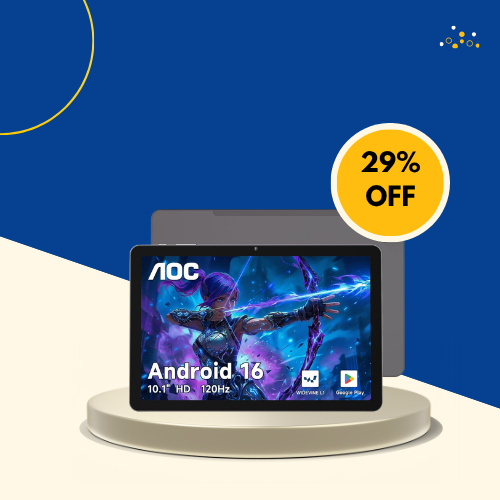
The highest-rated tablet in this guide at 4.8 stars across 2,049 reviews — and the most aggressively discounted at 29% off. Android 16 is the most current OS version in this guide, which matters for students who want the latest feature updates and security patches across a multi-year ownership period. The 120Hz display produces noticeably smoother scrolling through lecture slides and reading material than the 60Hz panels still found on competing budget tablets. Widevine L1 certification enables HD streaming from Netflix and Disney+ — directly relevant for students who watch lectures and entertainment on the same device. The 1TB expandable storage ceiling handles large course material libraries without cloud dependence.
Worth buying at this deal? Strong yes — 4.8 stars, 29% off, Android 16, and 120Hz at this price tier is a genuinely unusual combination.
TCL TAB 10 Gen 4 — 20% Off | Budget 12GB RAM Pick
| Display | 10.1″ FHD |
| RAM / Storage | 12GB (4+8GB) / 128GB |
| OS | Android 15 |
| Battery | 6,000mAh |
| Processor | Octa-Core |
| Rating | ⭐ 4.2 — 42 reviews |

Forty-two reviews is the smallest buyer base in this guide — the 4.2-star rating carries limited statistical reliability at that sample size. The 12GB RAM figure combines 4GB physical RAM and 8GB virtual RAM expansion — not the same as 12GB of true dedicated RAM. The 6,000mAh battery is the largest in the budget tier. Android 15 is current. The 20% discount is real. The honest assessment is that this is a spec-sheet-forward purchase without sufficient buyer data to verify how those specs perform in daily student use.
Worth buying at this deal? Cautiously — the RAM configuration wording warrants careful reading. Verify current reviews before purchasing. The AOC above offers stronger buyer confidence at a lower price.
Mid-Range Tier — $200–$400
Samsung Galaxy Tab A11+ 6GB — 17% Off | Overall Pick | 10K+ Monthly
| Display | Large Display |
| RAM / Storage | 6GB / 128GB (expandable) |
| Audio | Dolby Atmos Speakers |
| Extras | AI Assist, Galaxy AI, Slim design |
| Warranty | 2 Year US Warranty |
| Rating | ⭐ 4.6 — 1,686 reviews |

The Overall Pick badge with 10,000+ monthly purchases makes this the most actively purchased mid-range tablet in this guide — and the most purchased Samsung tablet in this roundup overall. Six gigabytes of RAM handles standard student multitasking — simultaneous PDF annotation, browser research, and lecture video playback without slowdown. Dolby Atmos speakers improve lecture audio and video call clarity noticeably over standard tablet speakers. Two-year U.S. warranty covers the full academic year cycle with documented support.
Worth buying at this deal? Yes — Overall Pick at 17% off with 10,000+ monthly purchases and 1,686 verified reviews is the clearest mid-range recommendation in this guide for Samsung Android students
Lenovo Idea Tab 8GB — 6% Off | Overall Pick | Pen + Case Included
| Display | 11″ 2.5K IPS 90Hz |
| RAM / Storage | 8GB / 256GB |
| Processor | MediaTek Dimensity 6300 |
| Included | Tab Pen + Folio Case |
| Rating | ⭐ 4.6 — 574 reviews |

The only tablet in this guide that includes both a stylus and a protective folio case in the box — relevant for students comparing total purchase cost rather than just tablet price. A comparable Samsung setup requires purchasing the S Pen and case separately. The 2.5K IPS 90Hz display is the sharpest and smoothest screen in the mid-range tier — visibly cleaner for reading dense academic text and detailed lecture slides. Eight gigabytes of RAM and 256GB storage are both the highest specifications in the mid-range tier.
Worth buying at this deal? Yes for students who need a pen and case immediately — the complete out-of-box setup at 4.6 stars removes accessory shopping from day one.
Samsung Galaxy Tab A11+ 8GB — 13% Off | Amazon’s Choice | Upgraded Config
| Display | Large Display |
| RAM / Storage | 8GB / 256GB (expandable) |
| Audio | Dolby Atmos Speakers |
| Extras | AI Assist, Galaxy AI, Slim |
| Warranty | 2 Year US Warranty |
| Rating | ⭐ 4.6 — 1,686 reviews |

The same 1,686 verified reviews and 4.6-star track record as the 6GB A11+ above — with meaningfully upgraded RAM and storage at a higher price point. Eight gigabytes handles heavier student multitasking — multiple research browser tabs, streaming, and note-taking simultaneously — and 256GB internal storage removes the need for a microSD card for most students’ course material libraries. Amazon’s Choice recognition and 1,000+ monthly purchases confirm active ongoing demand for this configuration specifically.
Worth buying at this deal? Yes for students planning three-plus years of use — the 8GB and 256GB step-up is worth the price difference for longevity over the 6GB base model.
Samsung Galaxy Tab S10 Lite 6GB — 18% Off | S Pen Included | Amazon’s Choice
| Display | 10.9″ LCD |
| RAM / Storage | 6GB / 128GB (2TB expandable) |
| Processor | Exynos 1380 |
| Included | S Pen |
| Extras | Circle to Search, AI Tools |
| Rating | ⭐ 4.6 — 1,140 reviews |
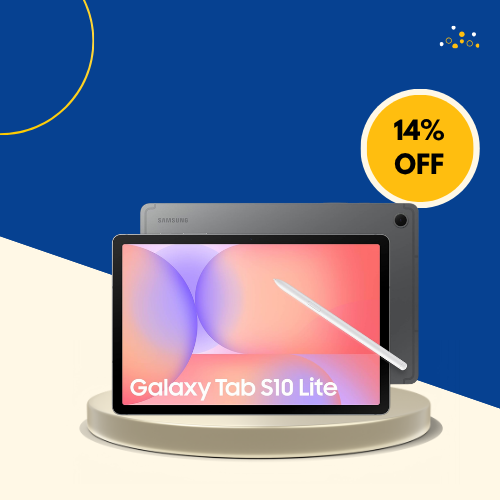
The most purchased S Pen tablet in this guide at 5,000+ monthly purchases — the S Pen inclusion is what separates this from the Tab A11+ configurations at similar price points. For students who take handwritten notes during lectures, annotate PDFs for research, or sketch diagrams for STEM coursework, an included S Pen at this price represents genuine value over purchasing a stylus separately. Circle to Search and AI Tools add practical functionality for quick research and content interaction during study sessions. The 2TB expandable storage ceiling is the highest in this guide.
Worth buying at this deal? Yes for handwriting students — S Pen included at 18% off with 1,140 verified reviews and 5K+ monthly purchases is the strongest S Pen deal in the mid-range tier.
Samsung Galaxy Tab S10 Lite 8GB — 14% Off | S Pen | Upgraded Config
| Display | 10.9″ LCD |
| RAM / Storage | 8GB / 256GB (2TB expandable) |
| Processor | Exynos 1380 |
| Included | S Pen |
| Extras | Circle to Search, AI Tools |
| Rating | ⭐ 4.6 — 1,140 reviews |

The same 1,140 verified reviews and S Pen inclusion as the 6GB S10 Lite above — with 8GB RAM and 256GB storage for students who want the S Pen experience with more performance headroom. The practical difference between 6GB and 8GB shows most clearly during extended multitasking sessions — multiple research tabs, streaming lectures, and active S Pen annotation simultaneously without the tablet slowing noticeably. For graduate students and upperclassmen with demanding academic workloads, the 8GB configuration justifies the step-up from the 6GB entry price.
Worth buying at this deal? Yes for intensive students — 8GB S Pen tablet at 14% off suits the buyer who will push performance daily across multiple demanding apps.
Samsung Galaxy Tab S10 FE Gray — 22% Off | Best S-Series Deal | IP68
| Display | Large Display 90Hz |
| RAM / Storage | 6GB / 128GB |
| Processor | Exynos 1580 |
| Protection | IP68 Water-Resistant |
| Included | S Pen |
| Rating | ⭐ 4.7 — 924 reviews |
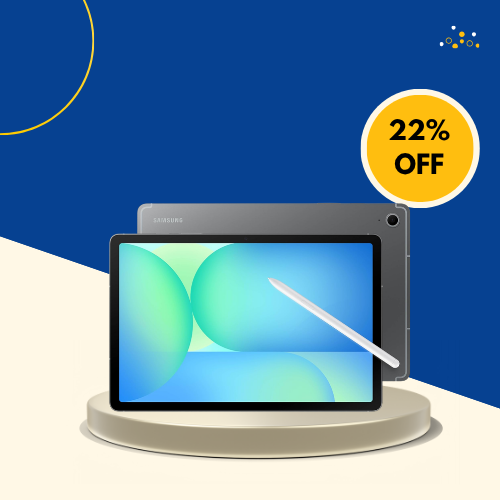
The strongest confirmed deal among Samsung’s premium S-series tablets in this guide at 22% off — and the only tablet in this guide with IP68 water resistance. For students who use their tablet in lab environments, outdoor campus spaces, near kitchen counters in shared housing, or who simply drop things — IP68 protection against water damage is a meaningful practical advantage that no other tablet in this guide offers. The Exynos 1580 steps above the Exynos 1380 in the S10 Lite for more sustained performance under demanding workloads. S Pen included.
Worth buying at this deal? Strong yes — 22% off is the strongest S-series deal in this guide on the most durable tablet here. IP68 plus S Pen plus 4.7 stars is a compelling premium combination.
| Display | Large Display 90Hz |
| RAM / Storage | 6GB / 128GB |
| Processor | Exynos 1580 |
| Protection | IP68 Water-Resistant |
| Included | S Pen |
| Rating | ⭐ 4.7 — 924 reviews |

Identical hardware, specifications, S Pen, and IP68 certification to the Gray model above — at a higher price with a 14% discount compared to Gray’s 22%. The Silver finish is the only meaningful difference between the two listings. For students where the Silver colorway is a genuine preference over Gray — this is the path to that specific color. For students who are color-neutral between the two options — the Gray model at 22% off is the objectively better value purchase with no functional trade-off.
Worth buying at this deal? Only if Silver is specifically preferred over Gray — otherwise the Gray model at 22% off is the smarter purchase of the two identical configurations.
| Display | 13″ Ultra Retina XDR |
| Storage | 256GB |
| Chip | Apple M5 |
| Camera | 12MP Front + 12MP Back |
| Extras | LiDAR Scanner, Wi-Fi 7, Face ID |
| Connectivity | Wi-Fi 7 with Apple N1 |
| Rating | ⭐ 4.8 — 618 reviews |
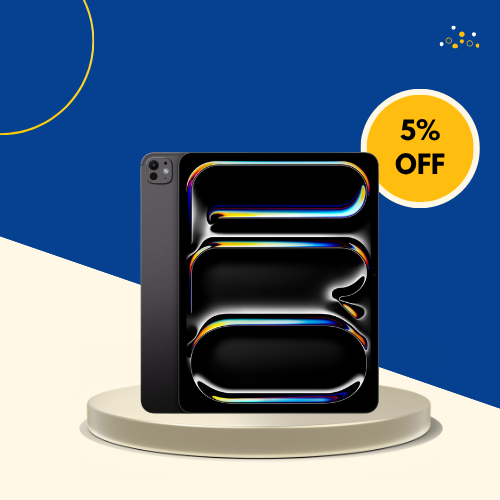
The most powerful tablet in this guide — and the only one that competes with a professional laptop for demanding creative and technical work. The M5 chip handles video editing, 3D modeling, architecture software, scientific computing, and machine learning frameworks that no Android tablet in this guide approaches. The Ultra Retina XDR display is the most accurate and brightest screen here — meaningful for design, photography, and media students who need color accuracy alongside resolution. LiDAR enables AR applications and 3D scanning for architecture, engineering, and science students.
Worth buying at this deal? Yes for creative and STEM students who need professional-grade tablet performance — the 5% discount is modest but reflects the standard Amazon price for this model.
Best Back to School Tablet Deal by Student Type
| Student Type | Best Pick | Why |
| Budget-first student | AOC 10.1″ | 29% off, 4.8 stars, Android 16 |
| Overall Pick buyer | Samsung Tab A11+ 6GB | 17% off, 10K+ monthly |
| Pen + case from day one | Lenovo Idea Tab 8GB | Pen + folio included, 2.5K display |
| Handwriting notes student | Samsung Tab S10 Lite 6GB | S Pen, 18% off, 5K+ monthly |
| Heavy multitasker | Samsung Tab A11+ 8GB | 8GB RAM, 13% off |
| Durable campus tablet | Samsung Tab S10 FE Gray | IP68, 22% off — best S-series deal |
| Apple ecosystem student | Apple iPad Pro 13″ M5 | 4.8 stars, M5 chip, LiDAR |
| Creative / STEM student | Apple iPad Pro 13″ M5 | Ultra Retina XDR, professional performance |
| Silver preference | Samsung Tab S10 FE Silver | Same specs as Gray — color choice only |
| Upgrade from 6GB | Samsung Tab S10 Lite 8GB | 8GB + 256GB S Pen config |
What to Check Before Buying a Tablet Deal
Verify what the storage number actually means. The TCL TAB 10 Gen 4 lists 12GB RAM but combines physical and virtual RAM in that figure — not all 12GB is dedicated hardware memory. Check product specs carefully on any tablet that advertises unusually high RAM at a budget price point.
Check S Pen inclusion before comparing prices across models. The Samsung Tab S10 Lite and Tab S10 FE both include S Pen in the box. The Tab A11+ does not. Comparing those two price points without factoring in the S Pen accessory cost produces a misleading value comparison — add $30 to $50 to the Tab A11+ price for an equivalent comparison.
Compare Gray vs Silver on the Tab S10 FE before purchasing. Both run identical hardware at meaningfully different prices. The Gray configuration is confirmed at 22% off — eight percentage points more than Silver at 14% off. Color preference is the only reason to choose Silver over Gray.
Final Recommendation
For most back to school tablet buyers in 2026 the right pick is determined by three things — budget tier, whether a stylus is part of the plan, and Android versus Apple.
The Samsung Galaxy Tab A11+ 6GB at 17% off is the clearest overall recommendation for Android students who want the most actively purchased mid-range tablet in this guide — Overall Pick with 10,000+ monthly purchases and 1,686 verified reviews at a confirmed active discount.
For students who specifically need a stylus from day one, the Samsung Galaxy Tab S10 Lite 6GB at 18% off includes the S Pen in the box and leads on monthly purchase volume among S Pen-capable tablets in this guide.
The Samsung Galaxy Tab S10 FE Gray at 22% off is the strongest premium deal in this guide — IP68 water resistance, S Pen included, Exynos 1580 performance, and the deepest confirmed discount among S-series configurations.
Budget-first students should start with the AOC 10.1″ at 29% off — 4.8 stars across 2,049 reviews with Android 16 and 120Hz at the lowest confirmed price in this guide.
For Apple students who need professional creative or STEM performance, the iPad Pro 13″ M5 at 5% off is the only tablet in this guide that competes with a laptop for demanding coursework.
Check current prices on Amazon before purchasing — all discounts confirmed active at time of writing.
Frequently Asked Questions
Q: What is the best back to school tablet deal in 2026?For most Android students the Samsung Galaxy Tab A11+ 6GB at 17% off is the safest starting point — Overall Pick with 10,000+ monthly purchases and 1,686 verified reviews. For the best S Pen deal, the Samsung Tab S10 Lite 6GB at 18% off includes the stylus in the box. For the best premium deal, the Samsung Tab S10 FE Gray at 22% off leads on discount depth. For budget buyers, the AOC 10.1″ at 29% off carries the highest rating in the guide at 4.8 stars.
Q: Is a Samsung Tab or iPad better for college students?Samsung Android tablets integrate more naturally with Google Classroom, Google Drive, and standard university digital tools that most students already use daily. The S Pen on Samsung S-series tablets adds handwriting capability that makes lecture note-taking and PDF annotation significantly more efficient. The Apple iPad Pro suits students already inside the Apple ecosystem — particularly those with a MacBook and iPhone who want seamless device continuity. Neither is objectively better — match the choice to the ecosystem you already live in rather than switching purely for the tablet.
Q: Which Samsung tablet should a student buy in 2026?It depends on two decisions — whether you need an S Pen and how much RAM your workflow requires. For standard student use without a stylus, the Tab A11+ 6GB at 17% off is the most purchased option. For handwriting note-taking and PDF annotation, the Tab S10 Lite 6GB at 18% off includes the S Pen in the box at the most accessible S-series price. For maximum durability with IP68 and S Pen capability, the Tab S10 FE Gray at 22% off is the strongest confirmed premium deal.
Q: Is 4GB RAM enough for a student tablet in 2026?Technically yes for light use — single-app note-taking, basic browsing, and reading work adequately on 4GB. In practice, students who run multiple apps simultaneously — PDF reader, browser, communication app, and a lecture video — will notice slowdown on a 4GB tablet sooner than on 6GB or 8GB alternatives. The AOC at 4GB is appropriate for budget-first students with lighter workloads. Any student planning three-plus years of regular multi-app use should target 6GB as the practical minimum and 8GB for future-proofing

